

Smart Capture
Smart Capture lets orders with certain payment errors be created instead of being immediately rejected. The customer gets an email with a secure link to update their payment, and the order sits on hold in Magento — recovering payments without losing the order.
Card fails at checkout
Insufficient funds, card declined — an error type you chose to capture.
Order created and held
Instead of rejecting the checkout, the order is created and put on hold.
On Hold — Trying to RecoverCustomer gets a secure link
An email explains the problem and links them to update their payment.
Payment completes
The order continues as normal — nothing lost.
ProcessingStep-by-Step Guide
- 1
Enable the Feature
In the Magento Admin Panel, locate the Brippo section and find the Smart Capture setting. It's disabled by default — set it to Yes to turn it on.
Once enabled, additional configuration options become available. The most relevant are:
- Only After First Attempt: when enabled, the first failed attempt is blocked as usual and an error is shown to the customer. Smart Capture kicks in only from the second attempt onwards.
- Affected Error Types: multi-select field where you choose which payment errors (insufficient funds, card declined, etc.) trigger the Smart Capture flow.
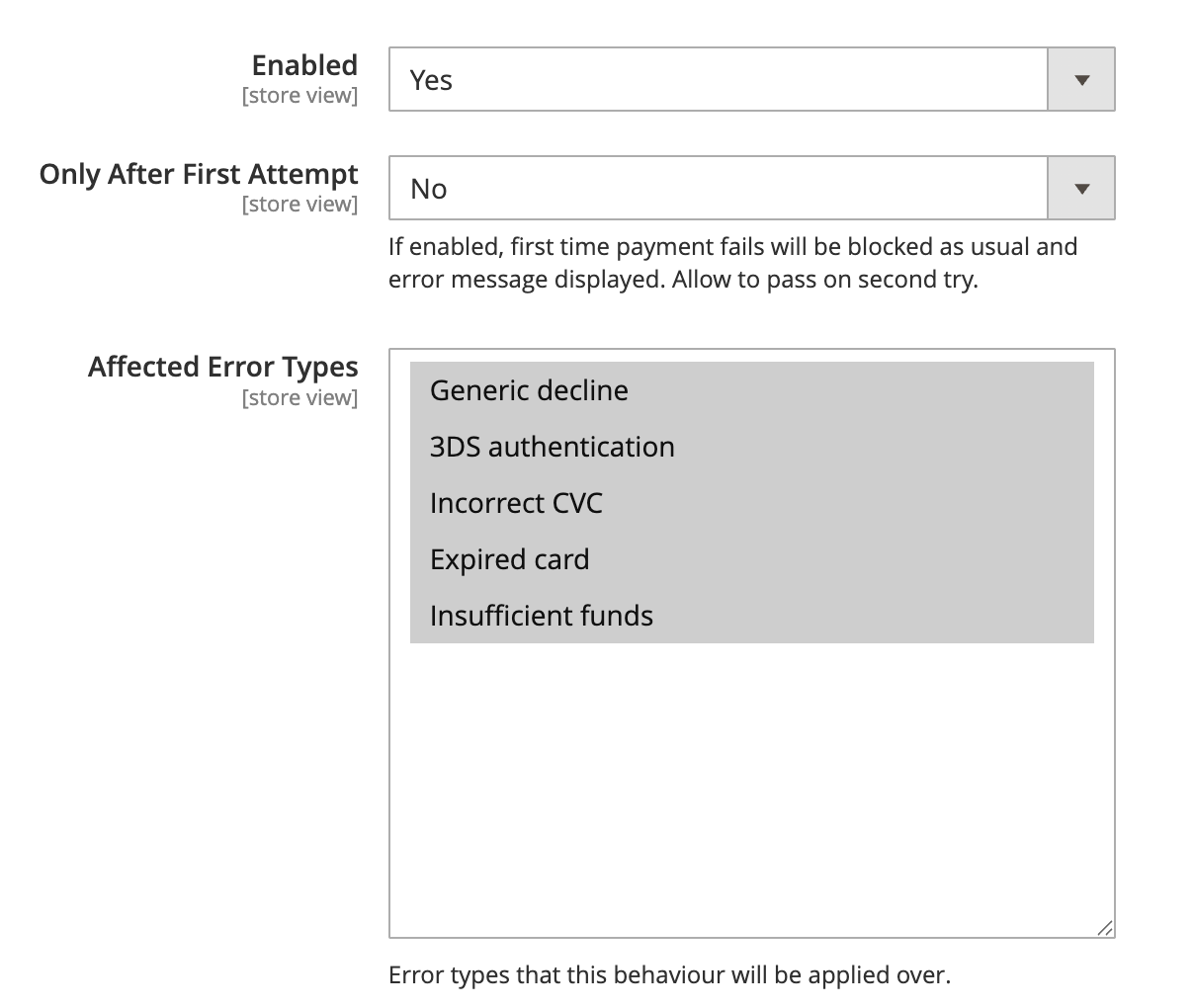 iMore options below. Several additional options appear once the feature is enabled — review Smart Capture in full to tailor the behaviour to your store.
 - 2
Test the Behaviour
Simulate a Smart Capture scenario with a known test card.
Recipe:
- Place a new order on the frontend.
- At checkout, use the test card that simulates "insufficient funds": 4000 0000 0000 0002.
- Complete the required payment fields and place the order.
Expected result:
- The order is created successfully, despite the payment failure.
- The customer receives an email notification explaining the error and including a link to update the payment.
- In the Magento Admin, the order shows the status "Brippo On Hold — Trying to Recover" until the payment is updated.
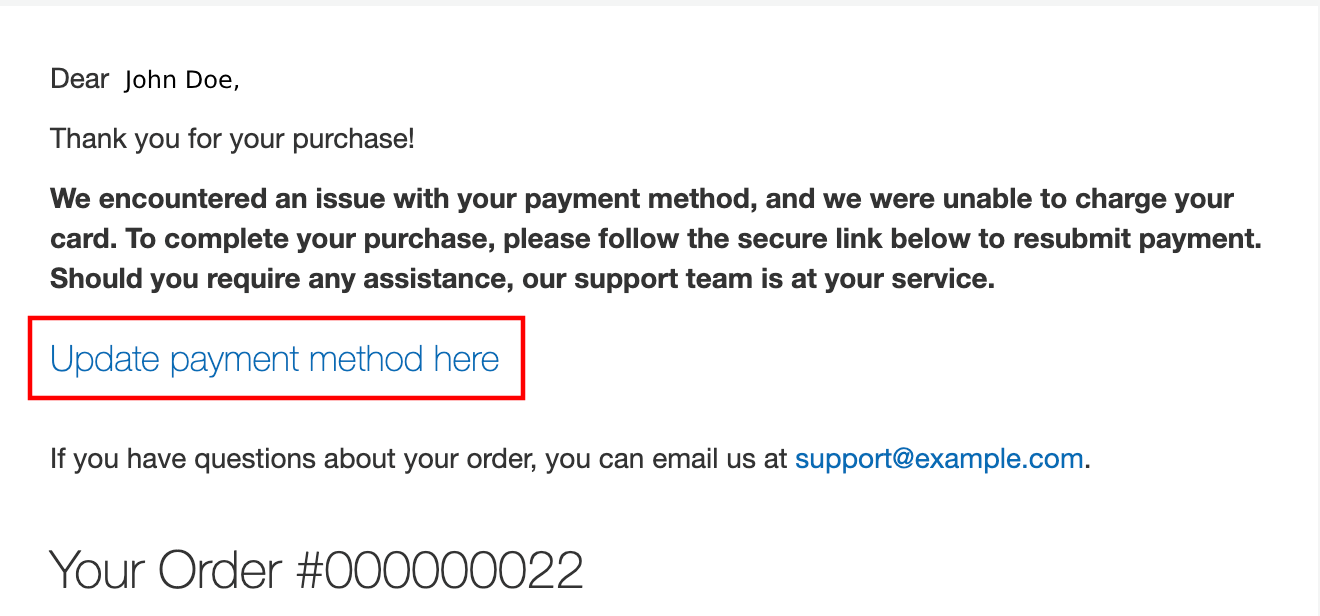 iOther test cards or scenarios work too — as long as the resulting error type is included in the Affected Error Types config.