

SMS Order Recovery
SMS Order Recovery recovers failed or incomplete payments by sending the customer a secure payment link via text message. The customer can retry payment in seconds — typically straight from their phone.
Step-by-Step Guide
- 1
Get the API Key from the Brippo Dashboard
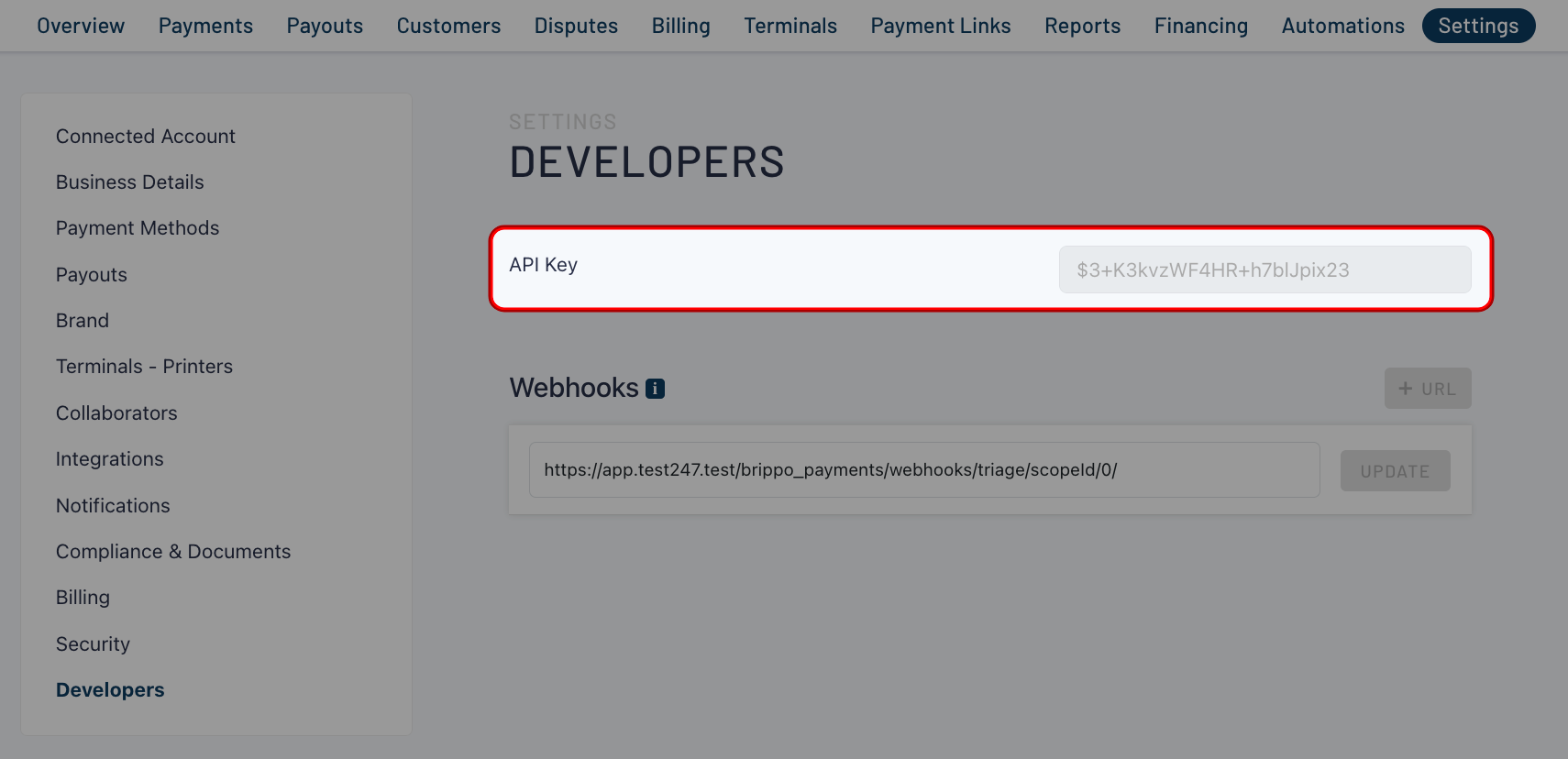
Before using SMS recovery, you need your API Key from the Brippo Dashboard.
- Sign in to your Brippo Dashboard.
- Navigate to Settings → Developers.
- Find your API Key and copy it — you'll need it in step 2.
- 2
Configure the API Key in Magento
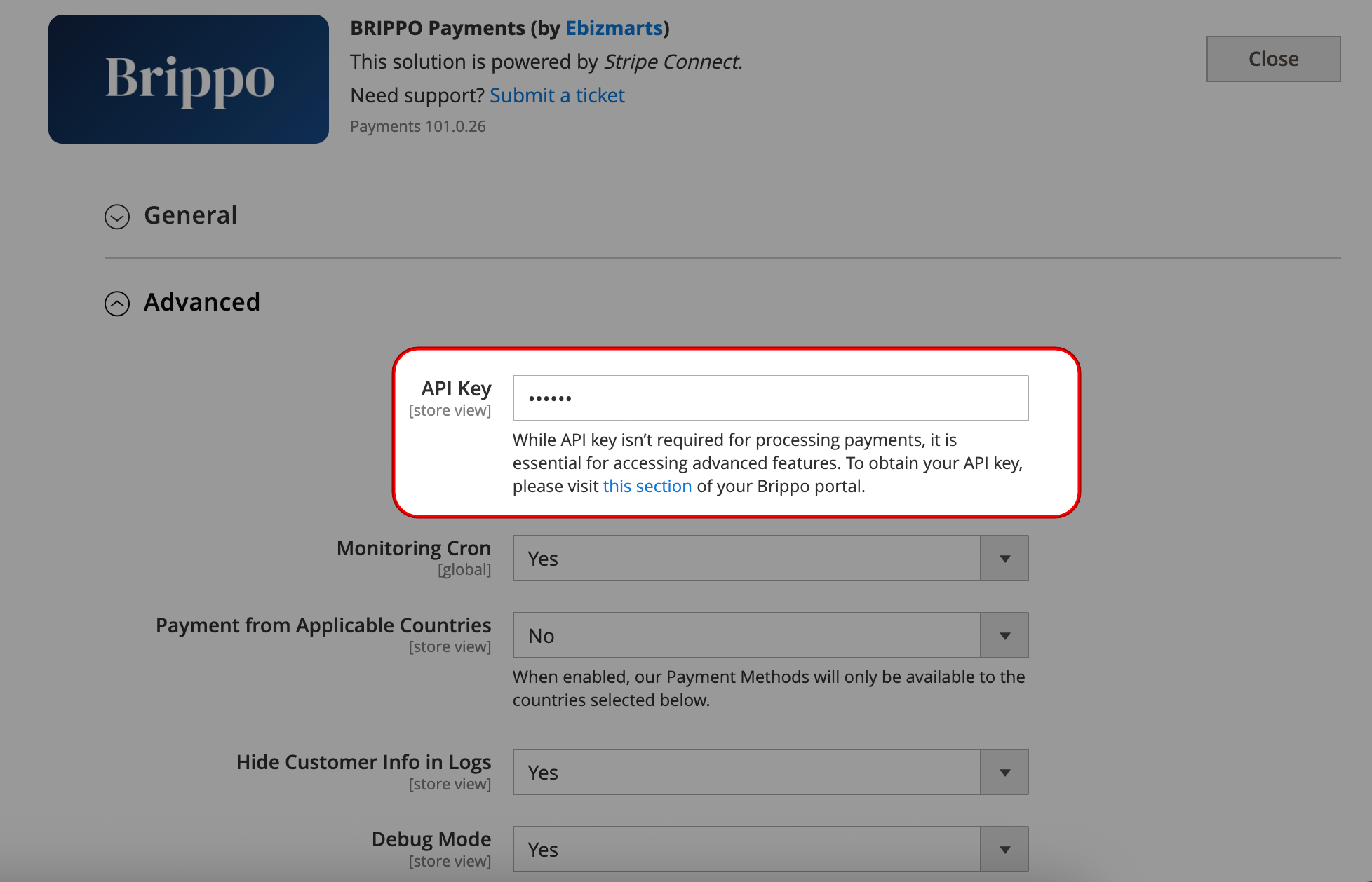
Once you have the API Key, paste it into your Magento configuration.
- Open the Magento Admin Panel.
- Navigate to Stores → Settings → Configuration → Sales → Payment Methods → Brippo Configured → Advanced.
- Locate the API Key field and paste the key from the Brippo Dashboard.
- Click Save Config.
- 3
Recover an Order via SMS
With the API Key set, you can start sending SMS recovery messages to customers.
- Go to Sales → Orders.
- Locate an order with the status Brippo Incomplete [Do NOT Ship].
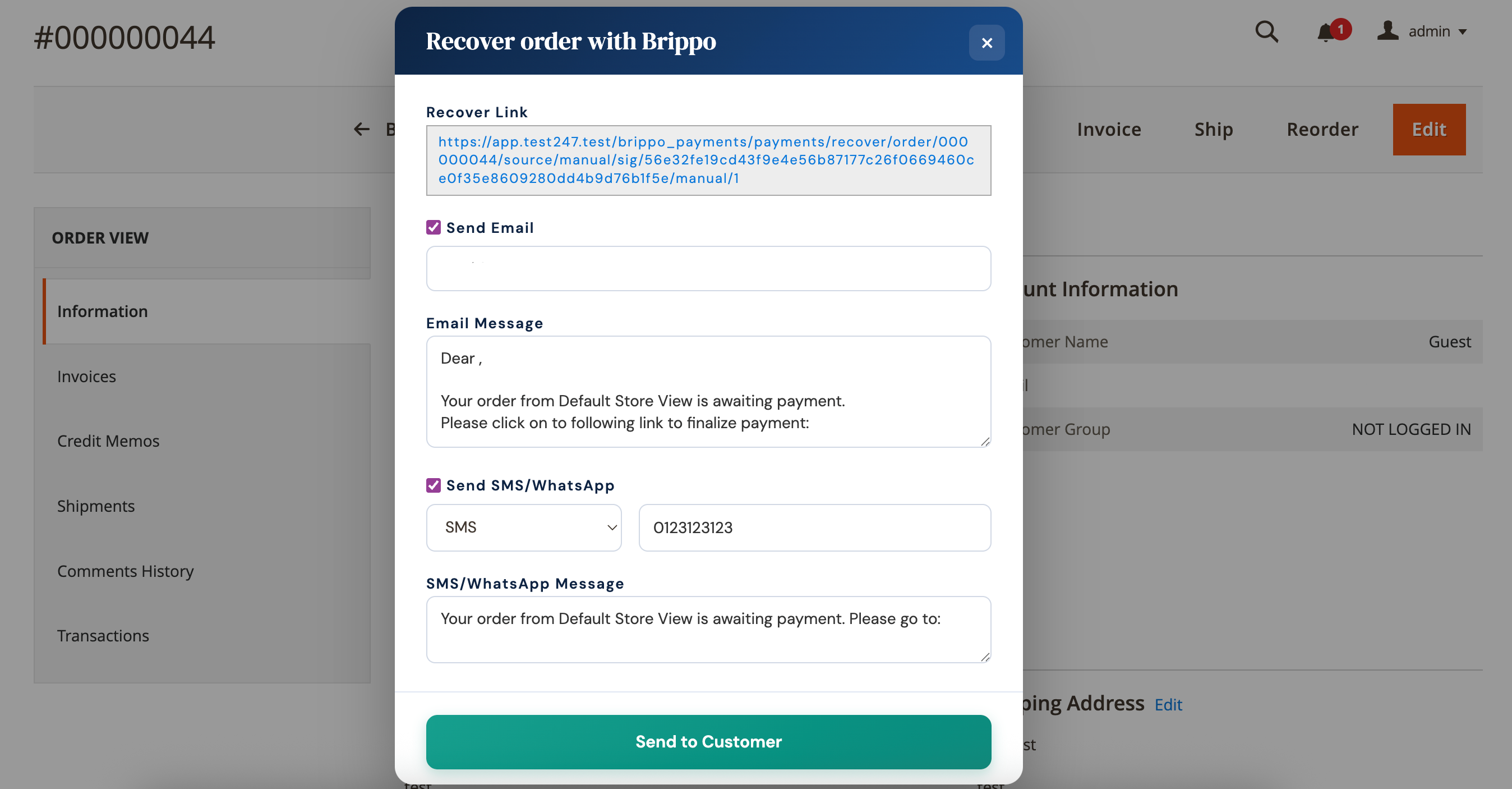
- Open the order — you'll see the Recover Order with Brippo panel.
Inside the panel, configure:
- SMS: enter the customer's phone number.
- Message: customise the SMS message that will be sent.
Click Send to Customer to deliver the SMS recovery message.
What the customer sees
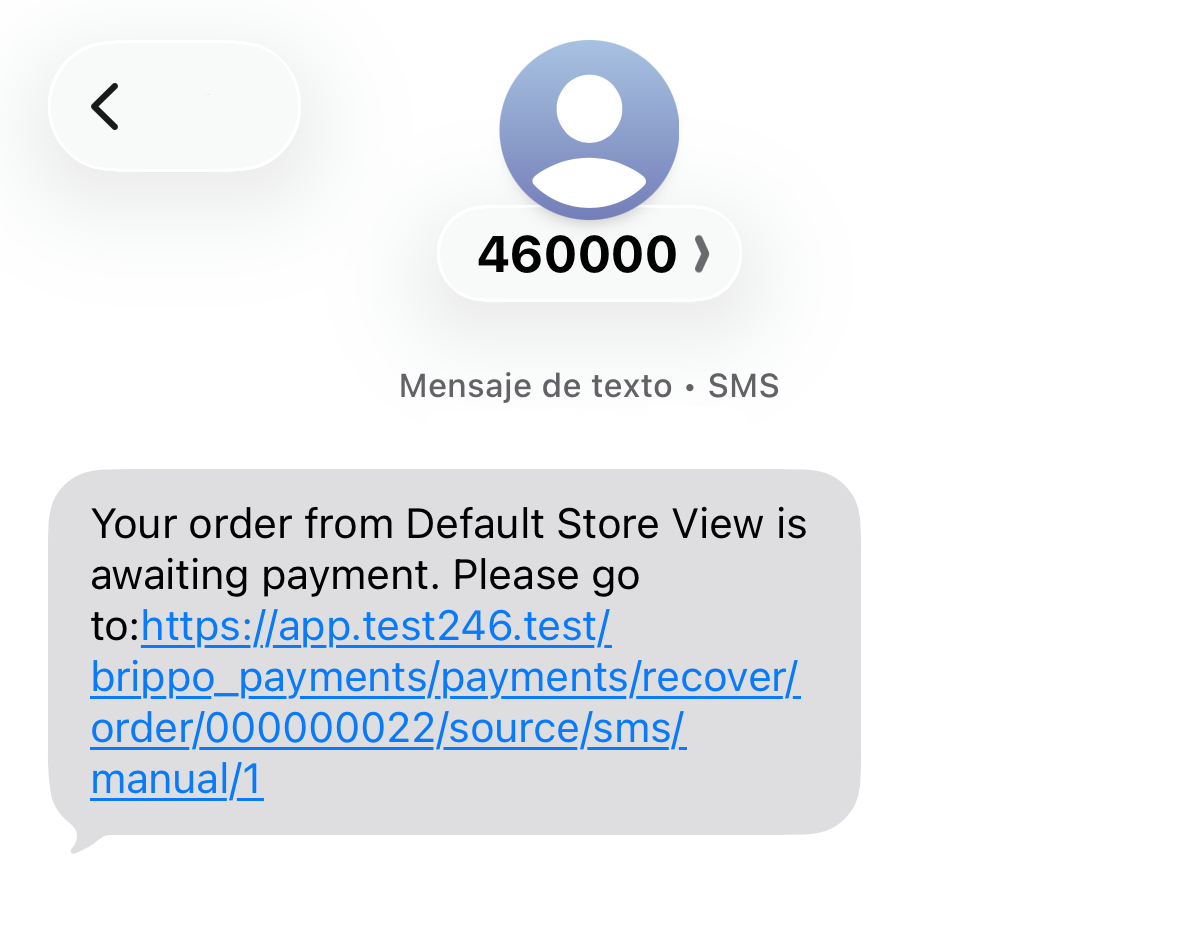
After you click Send to Customer:
- The customer receives an SMS containing a secure payment link.
- They open the link and complete payment for the existing order.
- The order continues its normal Magento processing flow once payment lands.
!
Heads up. Only orders with the status Brippo Incomplete [Do NOT Ship] can be recovered this way. If the API Key isn't configured correctly the SMS option won't appear. Need help? Our support team is here.